How it works
-
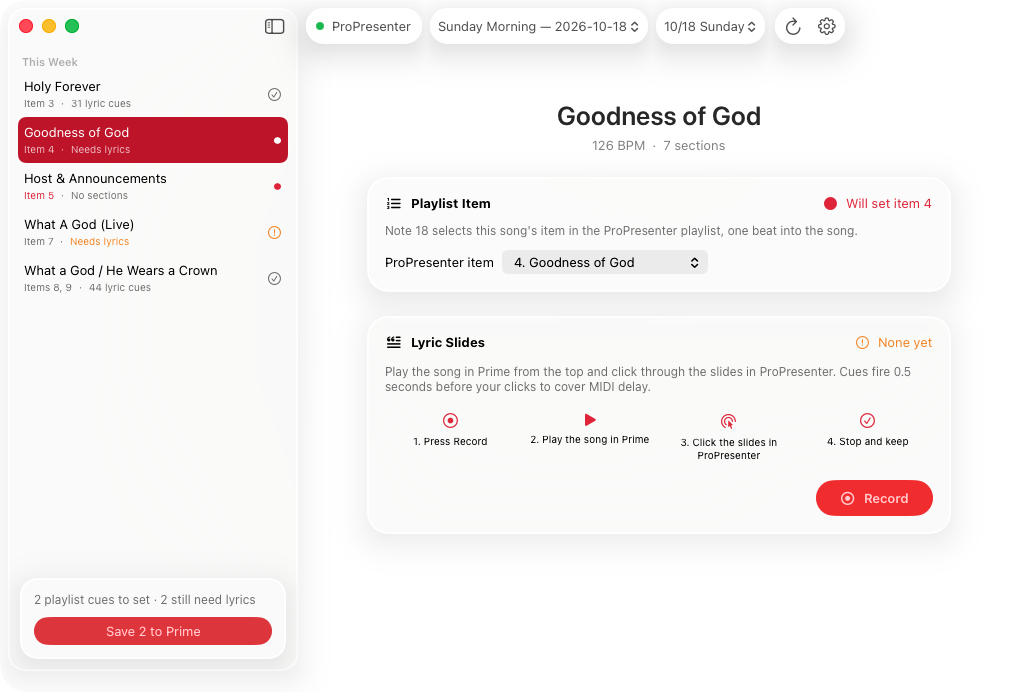
Record while you play the song in Prime
Pick the song and press Record, then start it in Prime from the top.
-
Click through slides in ProPresenter
Advance the lyrics the way you would on a Sunday. The app notes the beat of each click.
-
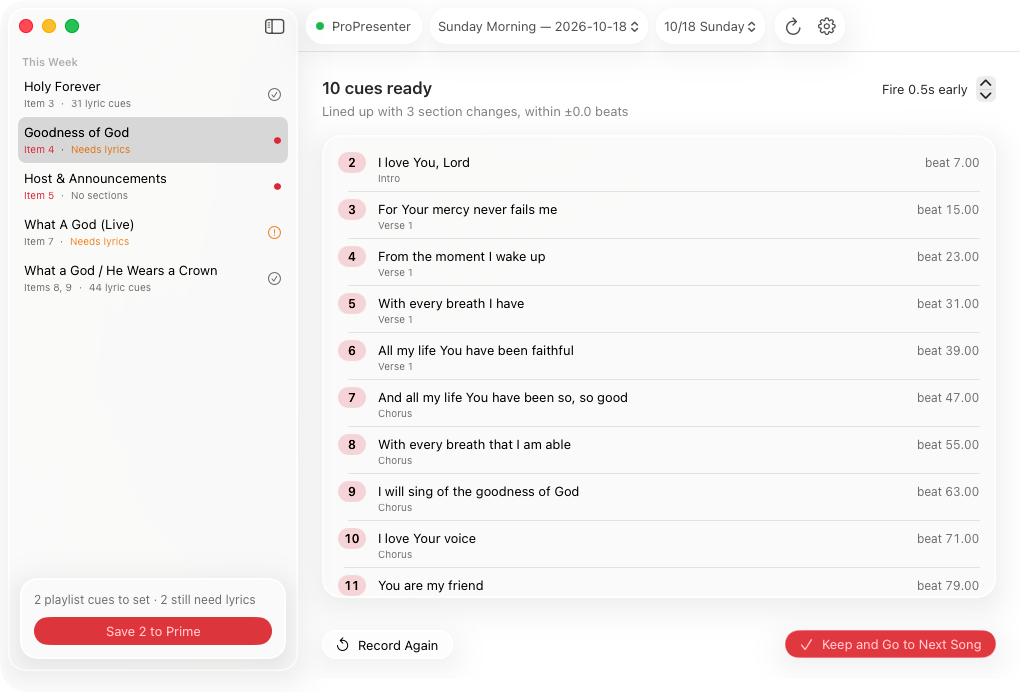
Save cues to Prime
Check the list, nudge the timing if you need to, and save. Prime sends the MIDI cues from then on.
It can also set each week's ProPresenter playlist item cues in Prime, so the right song comes up when it starts.
Before you start
- Turn on Network in ProPresenter. In ProPresenter, go to Settings > Network and check Enable Network, then enter the same port in the app. That's how it sees your slide clicks.
- Quit Prime when saving. Cues are written straight into Prime's library, so Prime needs to be closed for that step.
- Your library is backed up first. Every save copies Prime's database to Documents/PrimeBackups before changing anything. Only lyric and playlist item cues are replaced; lights and other cues are kept.